
FramePack online · image to video · up to 60 s
FramePack online: one picture to a long video
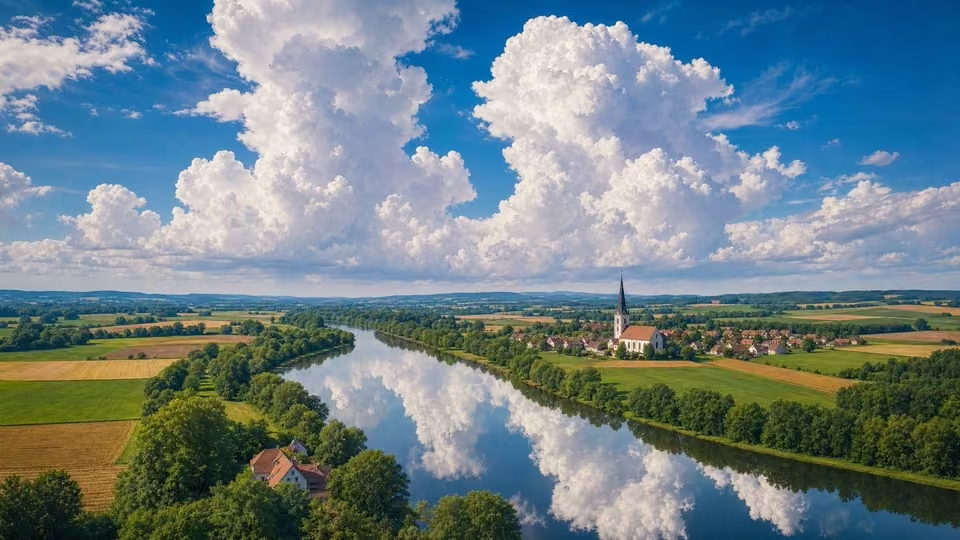
Upload a picture or make a first frame, describe the motion, pick a length and get one continuous 30 fps clip. No GPU, no install: FramePack runs on our servers and you pay only for the sections it renders. New accounts get 78 free credits, one time only, after email verification. The shortest Draft clip costs 78 credits.
Negative prompt and seed
- Model
- FramePack
- Output
- MP4, 30 fps, no watermark
- Cost
- 170 credits
- 3 to 60 seconds in 1.2 s sections
- 30 fps MP4, no watermark
- Stop any time, pay only for finished sections
- Independent site, not affiliated with the FramePack authors
Examples
Real FramePack clips, unedited
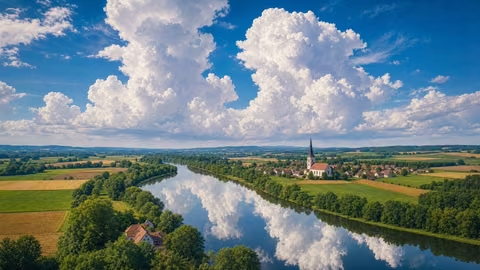
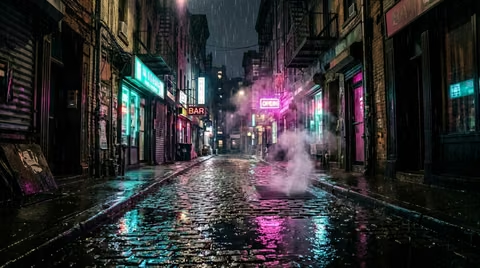
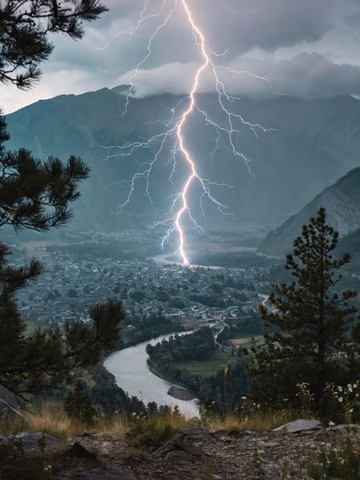
Every clip is one run in this studio, shown with its start frame, the exact motion prompt and the seed. Nothing was cut, upscaled or re-timed.
Motion prompt
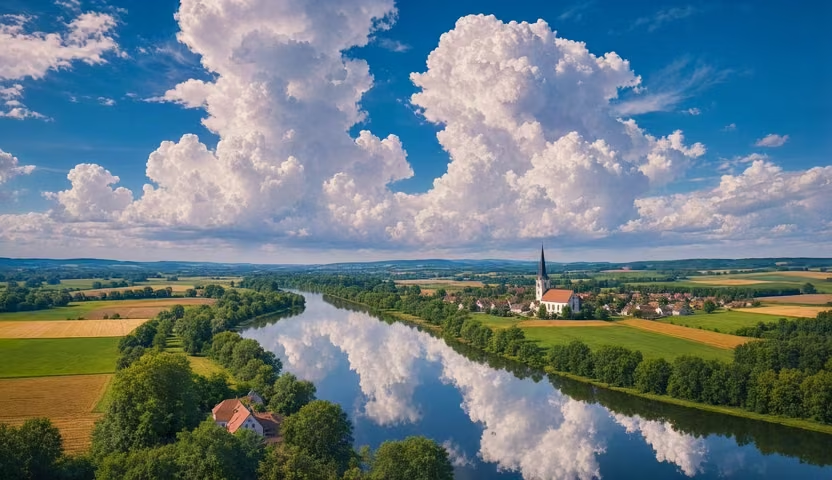
“Clouds drift slowly across the summer sky and their shadows glide over the fields, the river ripples and mirrors the moving clouds, trees sway gently in the breeze, slow steady aerial camera push forward”
Seed 31
Motion prompt
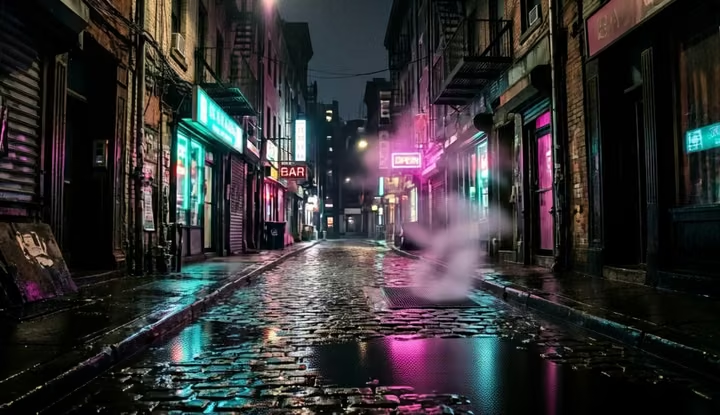
“Rain falls steadily, the neon signs flicker and their reflections ripple in the puddles, steam drifts up from the grate, slow forward dolly camera”
Start frame made in the studio from: “A rain-soaked narrow city street at night, glowing neon shop signs in teal and magenta reflected in puddles, steam rising from a street grate, wet cobblestones, empty street with no people, cinematic wide shot”
Seed 17

Motion prompt
“The translucent petals unfold and sway softly, glittering light ripples across their surface, the golden stamens tremble, slow gentle camera drift”
Seed 44

Motion prompt
“The slice lifts slowly upward, melted cheese stretches into long strings, steam rises from the hot pizza, basil leaves glisten, steady close-up camera”
Seed 12

Motion prompt
“The ice bottle turns slowly on the dark stone, snow falls inside around the little glowing cabin, light glints through the carved crystal, slow orbiting camera”
Seed 23

Motion prompt
“A warm breeze ripples through the grass, clouds drift across the blue sky, the little pig's belly rises and falls as it naps, leaf shadows flicker on the hillside, steady camera”
Seed 5
Motion prompt
“Lightning flickers and branches across the dark sky, storm clouds roll over the mountains, pine branches tremble in the wind, the river glints below, steady camera”
Seed 7
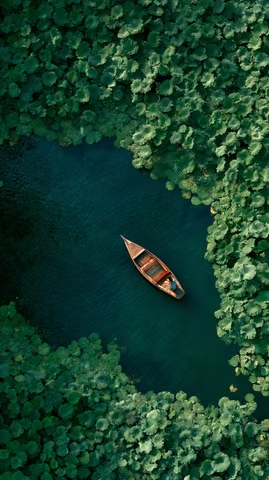
Motion prompt
“The small wooden boat drifts slowly across the dark water, gentle ripples spread behind it, lotus leaves sway, slow overhead drone camera”
Seed 8
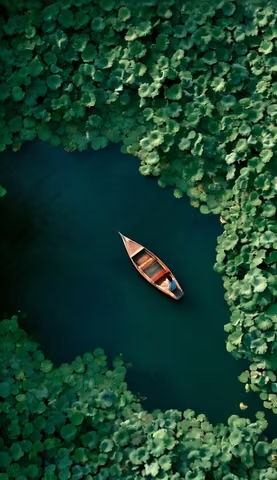
Motion prompt
“The boat glides on toward the lotus leaves, its ripples widen and fade, the camera rises slowly overhead”
Extended from the last frame of: Overhead view of a small wooden boat drifting through dark water between lotus leaves
Seed 9
How FramePack works
Why FramePack can make a minute of video
FramePack, by Lvmin Zhang and Maneesh Agrawala, makes a clip one section at a time. Each new section sees the start frame plus a packed history of what came before: the latest section in full detail, older ones squeezed 2×, 4×, 8×. Memory stays the same however long the clip gets, so length costs time, not quality. FramePack is an open-source model by lllyasviel; framepack.studio is independent.
Ways to use it
One studio, three ways in
Same FramePack studio, same prices. Each page explains one way people use it.
FramePack AI online
The real FramePack model in the browser: upload, prompt, length, done. What it is, what it costs and how it compares to running it yourself.
More about FramePack AI onlineFramePack video generator
Turn a photo, painting or product shot into a 5 to 60 second clip with steady motion. Tips for prompts that move the right things.
More about FramePack video generatorFramePack Studio, online
Know the FramePack-Studio desktop app? Here is the honest comparison, and how to get long clips without a GPU.
More about FramePack Studio, onlineGuides by task: FramePack AI · FramePack studio online · AI video generator
How it works
How to turn an image into a long video with FramePack
- 01
Add a start frame
Upload a JPG, PNG or WebP of something you may use, or describe a picture and make a first frame. It becomes frame one of the clip.
- 02
Describe the motion and length
Say what moves and how the camera behaves, then pick 3 to 60 seconds and Draft or Standard. The quote updates before you start.
- 03
Watch it pack, then download
Sections fill in as FramePack renders them. Stop early and pay only for finished sections, or download the MP4 and extend it from its last frame.
Honest limits
What FramePack does well, and what it will not do
FramePack keeps one scene coherent for a long time. It is best at steady, continuous motion from a single picture, not at cuts or stories.
Works well
- Landscapes, weather, water and light that move for a long time
- Product turns, food and still-life shots with a slow camera
- Paintings, illustrations and anime stills brought to life
- Longer clips by extending from the last frame
Will not do
- Scene cuts, multiple shots or a story in one clip
- Sound, lip sync or exact timing of actions
- Animate minors, public figures or anyone without their permission
- End frames, LoRAs or 720p and 1080p output (not offered yet)
Pricing
Plans for steady clip work, a pack for one-off projects
New accounts get 78 free credits, one time only, after email verification. The shortest Draft clip costs 78 credits. A plan brings fresh credits every month at the lowest price per credit. A pack is a single payment whose credits never expire.
Thaumatrope
A few short clips a month to try ideas.
$13.29/ month
1,284 credits a month
≈ 58 s of Draft or 44 s of Standard video a month
- Fresh credits every month (each grant lasts 31 days)
- Upload or first frame, Draft and Standard, 3 to 60 s clips
- Private files, kept for 30 days
Zoetrope
Regular clips for social posts, loops and product shots.
$25.35/ month
2,677 credits a month
≈ 122 s of Draft or 93 s of Standard video a month
- Fresh credits every month (each grant lasts 31 days)
- Upload or first frame, Draft and Standard, 3 to 60 s clips
- Private files, kept for 30 days
Kinetoscope
Long Standard clips and frequent extends.
$49.55/ month
5,627 credits a month
≈ 259 s of Draft or 198 s of Standard video a month
- Fresh credits every month (each grant lasts 31 days)
- Upload or first frame, Draft and Standard, 3 to 60 s clips
- Private files, kept for 30 days
Credit packs
One payment, no renewal. Pack credits never expire and cost more per credit than a plan.
Praxinoscope Pack
One payment for a project, with credits that never expire.
$36.45one-time
3,274 credits · 1.11¢ per credit
≈ 150 s of Draft or 115 s of Standard video
- Credits never expire
- Upload or first frame, Draft and Standard, 3 to 60 s clips
- MP4 download, 30 fps, no watermark
- Private files, kept for 30 days
Credits per clip
Every picture costs the same: a clip is priced by its 1.2 s sections and the quality. Stop a running clip and only finished sections are charged; a failed clip is refunded in full.
| Quality | Length | Credits |
|---|---|---|
| DraftFramePack · 26 credits per 1.2 s section | 3.6 s (3 sections) | 78 |
| 6 s (5 sections) | 130 | |
| 10.8 s (9 sections) | 234 | |
| 20.4 s (17 sections) | 442 | |
| 30 s (25 sections) | 650 | |
| 60 s (50 sections) | 1300 | |
| StandardFramePack · 34 credits per 1.2 s section | 3.6 s (3 sections) | 102 |
| 6 s (5 sections) | 170 | |
| 10.8 s (9 sections) | 306 | |
| 20.4 s (17 sections) | 578 | |
| 30 s (25 sections) | 850 | |
| 60 s (50 sections) | 1700 |
Changed your mind? Within 13 days of a purchase, while no more than 10% of its credits are used (a yearly plan: of the year's), you can get the unused part refunded. Renewals are not refunded.
FAQ
Questions about FramePack online
Is this the official FramePack website?
No. FramePack is an open-source model by lllyasviel; framepack.studio is independent. The FramePack project says its GitHub repository (https://github.com/lllyasviel/FramePack) is its only website and that it runs no web service. framepack.studio is not affiliated with lllyasviel, the FramePack project or FramePack-Studio; it runs the open-source model for you on cloud GPUs.
What is FramePack?
FramePack is an open-source image-to-video model by Lvmin Zhang and Maneesh Agrawala, released under the Apache-2.0 licence and built on the HunyuanVideo video model. It uses next-frame-section prediction: it makes a video one short section at a time and packs the earlier frames into a context of constant length, so a long clip needs no more memory than a short one. The original release makes a minute of video on a graphics card with 6 GB of memory. HunyuanVideo is a trademark of its owner.
How long can a FramePack video be?
Here, from 3 to 60 seconds per clip at 30 fps, built in sections of 1.2 seconds. Long clips can drift or bunch their motion near the end, so keep to one steady movement, and use Extend from the last frame to go further.
Can I use FramePack without a GPU or on a Mac?
Yes. framepack.studio runs FramePack on cloud GPUs and you use it in the browser, so a Mac, a laptop without an NVIDIA card or a phone all work.
Do I need to download FramePack?
No, nothing is installed to use it here. If you want to run FramePack on your own NVIDIA GPU, the instructions and the one-click Windows package are in the project repository: https://github.com/lllyasviel/FramePack.
Is FramePack free?
You can try it for free. New accounts get 78 free credits, one time only, after email verification. The model is free and open source to run on your own computer. Here you pay for cloud GPU time in credits: the shortest Draft clip (3 seconds) costs 78 credits, and the price grows with the length.
What is FramePack F1, and do you offer it?
F1 is a later FramePack variant that predicts forward only, which tends to give more motion. We run the original FramePack; F1 is not offered yet.
What is the difference between this site and FramePack-Studio?
FramePack-Studio (FP Studio) is a free community desktop app you install and run on your own NVIDIA GPU; it adds F1, LoRAs and timestamped prompts. framepack.studio is an independent website that runs the original FramePack online, with nothing to install, a price shown before each run and clips kept in your account.
Can FramePack make a video from text only?
FramePack always starts from a picture. If you have none, the studio can make a first frame from your prompt with Nano Banana 2.1 for 10 credits, show it to you, and animate it once you accept it.
Why does a longer clip cost more?
Every 1.2-second section is another round of GPU work, so a clip costs 26 credits per section on Draft (15 steps) and 34 on Standard (25 steps). The total shows before you start, and you can stop at any time.
What happens if a job fails or I stop it?
A failed job, or one that hits our time limit, is refunded in full automatically. If you stop a job, you keep paying only for the sections that had already finished and the rest comes back; a stopped job gives no video file, and if no section had finished, nothing is charged.
Can I animate a photo of a person?
Only a photo of yourself, or of an adult who gave you permission. You confirm that with a checkbox before upload, and the server checks it again before each clip. Photos of minors and of public figures are refused, and so is sexual content. Uploads and clips are private and deleted after 30 days.
Which models do you use?
FramePack makes every video. Nano Banana 2.1 makes the optional first frame. No other model is used, and finished clips carry no watermark.
FramePack guides
What FramePack is, how it compares to the desktop apps, and how to write motion prompts that hold up over a long clip.
What Is FramePack? How It Makes Long AI Video from One Image
FramePack explained: the open-source image-to-video model by Lvmin Zhang and Maneesh Agrawala, next-frame-section prediction, packed context, 6 GB VRAM and its limits.
FramePack AI vs FramePack Studio: Which One Do You Need?
FramePack is the model, FramePack-Studio (FP Studio) is a desktop app, and framepack.studio runs FramePack online. What each one is, what it needs and how to choose.
Last updated: